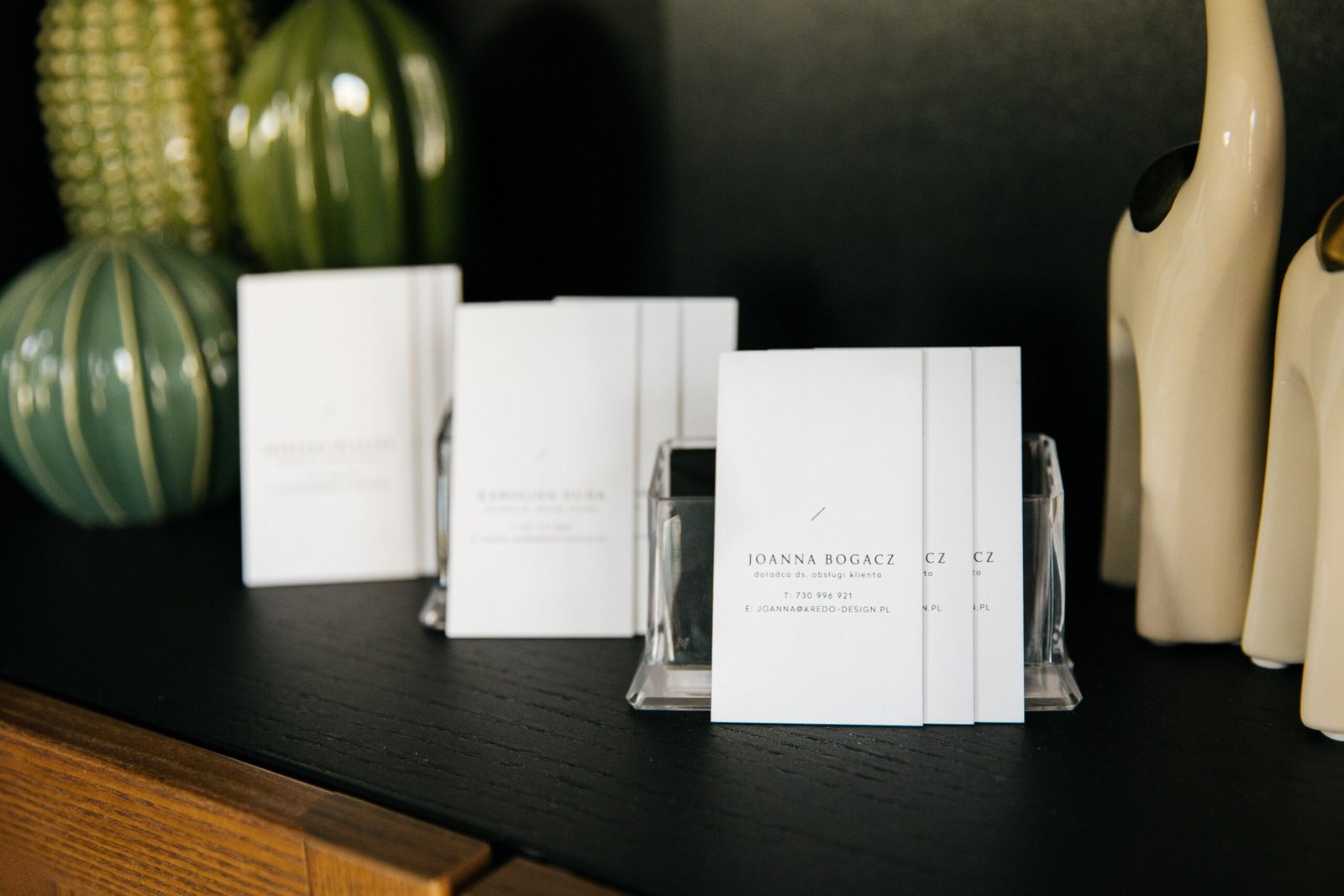
Introduction: Why Business Cards Still Matter
In a world dominated by websites, social media, and digital networking, business cards continue to play an important role in professional communication. Whether you are a freelancer, entrepreneur, designer, consultant, or business owner, a well-designed business card can help people remember you, understand what you do, and contact you when an opportunity arises.
A business card is more than a small piece of printed paper containing your name and telephone number. It is a compact representation of your brand identity, professionalism, and attention to detail. Its layout, typography, color palette, materials, and visual hierarchy communicate something about your business before a conversation even begins.
Learning how to design a business card can help you create a practical networking tool that looks professional and reflects your brand consistently. A poorly designed card may confuse recipients, hide important contact information, or make a business appear less credible. In contrast, a thoughtfully designed card makes essential information easy to find while creating a memorable visual impression.
The good news is that you do not need to be a professional graphic designer to create an effective business card. With a clear understanding of design principles, the right software, and a structured process, you can develop a design that looks polished and works well in print.
This comprehensive guide explains how to design a business card from scratch, choose the right layout, select fonts and colors, organize contact details, incorporate branding, prepare print-ready files, and avoid common design mistakes.
Whether you want to create a minimalist business card, a premium corporate card, a creative portfolio card, or a modern card with a QR code, the following steps will help you make informed design decisions.
1. Understand the Purpose of Your Business Card
Before opening a design application, determine what your business card needs to accomplish.
The best designs begin with a clear objective. A business card for a corporate lawyer may need to communicate professionalism and trust, while a card for a creative director may benefit from a distinctive visual style.
Understanding your purpose makes it easier to choose the appropriate layout, typography, color palette, and printing method.
Define your target audience
Think about the people who will receive your business card.
Are they potential customers, corporate clients, event attendees, recruiters, business partners, or creative collaborators?
Your audience influences how you present information and how formal or expressive your design should be.
For example:
- Corporate professionals: Clean layouts, restrained colors, and readable typography.
- Creative professionals: Distinctive typography, thoughtful visual details, and expressive layouts.
- Freelancers: Clear service descriptions, contact information, and a recognizable personal brand.
- Small business owners: Consistent branding, practical contact details, and a memorable business identity.
- Luxury brands: Carefully chosen typefaces, refined spacing, and premium print finishes.
These are useful starting points rather than strict rules. A creative professional can use a minimalist card, and a corporate business can adopt a distinctive color palette while maintaining readability.
Establish your main objective
Ask yourself what you want recipients to do after receiving the card.
You might want them to call you, visit your website, schedule a consultation, explore your portfolio, or connect with your business online.
Choose one primary action and make the information supporting that action easy to find.
For example, a consultant might prioritize a telephone number and website, while a photographer might emphasize a portfolio link or QR code.
A clear objective prevents unnecessary information from crowding the design.
also read: How to Create a Pitch Deck: A Complete Guide to Winning Investors and Presenting Your Business Idea
2. Plan the Information Your Business Card Needs
One of the most important steps in learning how to design a business card is deciding what information to include.
A business card has limited space, so every element should serve a purpose. Including too much information can make the card difficult to read, while including too little may leave recipients unsure how to contact you.
Essential business card information
Most professional business cards include the following elements:
1. Name: Use your full professional name or the name by which clients know you.
2. Job title: Include a clear designation, such as Graphic Designer, Marketing Consultant, Founder, or Sales Manager.
3. Business name: Display your company name or personal brand name prominently enough to identify the business.
4. Contact number: Include a professional telephone number if calls or messaging are important to your business.
5. Email address: Use an address that is easy to read and appropriate for professional communication.
6. Website: Include your website if it provides useful information about your services, products, or portfolio.
7. Logo: A logo can help recipients recognize your business and connect the card to your broader brand identity.
You do not necessarily need every element. Select the information that supports your business objectives.
Optional information
Depending on your profession, you may also include:
- Business address.
- Social media handle.
- Professional registration or designation.
- A short tagline.
- A QR code linking to your website or digital contact profile.
- A booking link.
- A concise description of your services.
Avoid adding every available contact channel simply because space remains.
A business card should provide a convenient starting point for communication, not function as a complete company brochure.
Organize the information by importance
Your name, business identity, and primary contact method should be easy to locate.
Less important details can use smaller type or be placed on the reverse side.
For example, a freelance designer could organize a card like this:
Front
- Logo
- Name
- Graphic Designer
Back
- Email address
- Website
- QR code linking to portfolio
This arrangement creates a clear visual hierarchy while keeping the design uncluttered.
3. Choose the Right Business Card Size and Orientation
Physical dimensions influence the overall design, the amount of information you can include, and the impression your card creates.
Before designing, check the standard dimensions and production requirements of your chosen printer.
Common business card sizes
Business card dimensions vary by country and printer.
| Region or format | Common finished size |
|---|---|
| United States and Canada | 3.5 × 2 inches |
| United Kingdom and much of Europe | 85 × 55 mm |
| Common Indian print format | 90 × 54 mm, although other sizes are available |
| Square business card | Varies by printer |
These sizes are examples rather than universal standards. Confirm the finished dimensions with your print provider before creating your document.
Horizontal business cards
Horizontal cards are familiar, practical, and suitable for many industries.
Their width provides room for a logo, name, job title, and contact details without forcing the information into narrow columns.
Choose a horizontal layout when you want a traditional, versatile design.
Vertical business cards
Vertical cards can feel modern and distinctive. They work particularly well when your logo, name, or other visual elements benefit from a stacked arrangement.
However, vertical layouts may require more careful planning when displaying several contact details.
Square and unconventional formats
Square cards and custom shapes can help a brand stand out. They may be useful for artists, designers, boutiques, and other businesses that want a distinctive presentation.
Before choosing an unusual format, consider printing costs, storage, mailing requirements, and how easily recipients can keep the card with their other business cards.
Design tip: Start with a standard size unless a different format directly supports your brand strategy. Good design and clear communication matter more than unusual dimensions.
4. How to Design a Business Card Layout
A business card layout determines where each element appears and how the recipient moves through the information.
A well-organized layout guides attention naturally. The viewer should be able to identify the business, read the name, and locate contact information without searching through decorative elements.
Use visual hierarchy
Visual hierarchy is the arrangement of elements according to their importance.
You can establish hierarchy through:
- Font size.
- Font weight.
- Color contrast.
- Position.
- Spacing.
- Alignment.
- Scale.
For example, the person’s name may be the largest text element, the job title may be slightly smaller, and contact details may appear in a smaller but readable size.
The logo should be recognizable without overpowering everything else.
Apply the rule of simplicity
A business card does not need numerous graphic elements to look professional.
Choose a small number of meaningful components and arrange them carefully.
A simple design might include a logo in one corner, the name and title in the main area, and contact information along the bottom.
The goal is not to fill every available space. Empty space helps separate information and improves readability.
Use alignment consistently
Alignment makes a design feel organized.
You can align the logo, name, and contact details to the same left edge or use a centered arrangement when it suits the brand.
Avoid combining unrelated alignments without a clear reason.
For instance, a left-aligned name paired with randomly positioned contact details can make the layout feel unfinished.
Create balanced spacing
Spacing determines how comfortably the information fits together.
Leave adequate room between the logo, name, title, and contact details. Keep text away from the card’s edges, and avoid squeezing multiple lines into a small area.
Consistent spacing often makes a basic design look more refined than adding unnecessary decoration.
Use a grid
A simple grid helps you position elements consistently.
You might divide the card into two columns, reserve one area for the logo, and use the other for the name and contact information.
A grid does not have to be visible in the final design. It serves as a structural guide that helps keep elements aligned.
When deciding how to design a business card, remember that the layout should support the information rather than compete with it.
5. Select Typography That Reflects Your Brand
Typography is one of the most influential aspects of business card design.
The fonts you choose communicate personality, establish hierarchy, and affect readability. A typeface that works well for a luxury brand may not be suitable for a technology startup or a children’s business.
Understand the main font categories
Serif fonts: These typefaces have small finishing strokes at the ends of many letterforms. They can communicate tradition, elegance, and authority.
Sans-serif fonts: These typefaces lack the finishing strokes found in serif fonts. Many offer a clean, contemporary appearance and work well for business cards.
Script fonts: These fonts imitate handwriting or calligraphy. They can be expressive but may become difficult to read at small sizes.
Display fonts: These are designed for distinctive visual impact. They can work for a name or brand mark but are not usually suitable for lengthy contact details.
Match typography to your business
A financial consultant might use a restrained serif or sans-serif typeface. A technology company might prefer a clean, contemporary sans-serif. A wedding photographer might incorporate a refined serif font with a restrained script accent.
The goal is to reflect your brand personality while preserving legibility.
Limit the number of fonts
Using one or two complementary typefaces is usually sufficient.
For example, use a sans-serif font for the name and contact information, then use a complementary serif font for a short tagline.
Too many fonts create visual inconsistency and make the card appear less professional.
Choose appropriate font sizes
Small text may appear readable on a computer screen but become difficult to read when printed.
As a practical starting point, consider:
- Name: approximately 10–14 pt.
- Job title: approximately 8–10 pt.
- Contact information: approximately 8–10 pt, subject to the typeface and printing conditions.
- Fine print: use only when necessary and test it carefully.
These are general guidelines, not absolute requirements. Some typefaces appear larger or smaller at the same point size.
Print a proof at actual size before approving the final card.
Pay attention to font weight
A very thin font may disappear or lose clarity in print, especially on textured materials.
An extremely bold font can overwhelm a small layout.
Choose weights that provide sufficient contrast while maintaining a consistent visual style.
Avoid common typography mistakes
Do not use elaborate script fonts for telephone numbers or email addresses. Avoid placing long contact details in uppercase if doing so makes them harder to read.
Check letter spacing and line spacing, especially when using condensed or decorative typefaces.
Typography should help recipients understand the information quickly.
6. Choose the Right Colors for Your Business Card
Color plays a major role in brand recognition and visual communication.
The right palette helps establish personality, creates contrast, and connects your business card with your website, packaging, stationery, and other brand materials.
Understand basic color associations
Different colors can evoke different associations depending on context and culture.
- Blue: Often associated with trust, stability, and professionalism.
- Green: Frequently connected with nature, growth, and sustainability.
- Black: Can communicate sophistication, authority, and simplicity.
- White: Often creates a clean, open, minimalist appearance.
- Red: Can communicate energy, urgency, or boldness.
- Gold: Often associated with prestige and luxury.
- Orange: Can suggest warmth, creativity, and energy.
These associations are not universal rules. The effectiveness of a color depends on your audience, industry, surrounding colors, and overall design.
Follow your existing brand palette
If your business already has established brand colors, use them consistently.
A business card should feel connected to your other brand assets rather than looking like an unrelated design.
Use your logo’s primary color as an anchor, then introduce complementary or neutral colors where necessary.
Use contrast to improve readability
Text must stand out clearly from the background.
Dark text on a light background is a reliable choice, although light text on a sufficiently dark background can also work.
Avoid placing pale text on a similarly pale background or combining several saturated colors without a clear hierarchy.
Check that contact information remains readable under ordinary lighting.
Try the 60-30-10 approach
One possible color strategy is to use:
- 60% dominant color.
- 30% secondary color.
- 10% accent color.
This is a flexible design guideline rather than a mandatory formula.
For example, a mostly white business card could use dark navy typography and a small orange accent for the logo or a decorative line.
Consider the difference between screen and print colors
Digital designs commonly use RGB color, while many commercial printing workflows use CMYK.
Colors can appear different when converted for printing. Bright digital colors may be difficult to reproduce accurately with standard printing processes.
Ask your printer about color specifications and request a physical proof when accurate color reproduction is important.
7. Create a Professional Logo and Brand Identity
A business card is often one of the first physical items through which people encounter your brand. Consistent identity helps make that encounter memorable.
Your logo, typography, colors, and graphic elements should work together as part of a recognizable system.
Use a high-quality logo file
Avoid enlarging a small, low-resolution logo copied from a website or screenshot.
Whenever possible, use a vector file such as SVG, EPS, or a printer-approved PDF. Vector artwork can generally be scaled without the pixelation associated with raster images.
If your logo is available only as a raster image, use a sufficiently high-resolution version at its intended print size.
For many standard print workflows, 300 pixels per inch is a useful target for raster artwork, although the exact requirements depend on the printer and production process.
Give the logo enough space
Do not crowd the logo with text or place it so close to the card’s edge that it feels cramped.
Follow your brand guidelines if they specify minimum clear space or minimum logo size.
If your logo contains many small details, consider using a simplified version for the business card.
Keep your branding consistent
Use the same logo, color palette, and typography across your business card, website, email signature, and marketing materials.
Consistency helps recipients recognize the connection between different parts of your business.
A business card does not need to contain every brand element. It needs to communicate the identity clearly.
8. How to Design a Business Card for Different Industries
Although the basic principles of business card design remain consistent, different industries have different communication needs.
Business cards for graphic designers
Designers can use business cards to demonstrate their creative thinking.
Consider a distinctive grid, thoughtful typography, an unusual but practical color combination, or a QR code linking to a portfolio.
Avoid using so many experimental elements that your name and contact details become difficult to read.
Business cards for corporate professionals
Corporate cards often benefit from a structured layout, restrained typography, and clear contact information.
A simple logo, professional name, job title, email address, and telephone number may be sufficient.
Prioritize legibility and consistency with the organization’s established branding.
Business cards for real estate agents
Real estate professionals may want to include their name, agency, telephone number, email address, and website.
A headshot may be useful in markets where personal recognition is important, but it should not crowd out the essential information.
If licensing or brokerage details are required, confirm the applicable rules before printing.
Business cards for photographers
Photographers can use a distinctive image, restrained graphic design, or portfolio QR code to demonstrate their visual style.
Choose an image that remains effective at a small size and does not interfere with readability.
A link to a carefully curated portfolio is often more useful than a large collection of social media icons.
Business cards for consultants and freelancers
Freelancers should make it easy for potential clients to understand their role and contact them.
A concise job title or service description can clarify what they offer. For example, a marketing consultant might include a website and a booking link.
Business cards for luxury businesses
Luxury cards often emphasize material quality, restrained design, typography, and precise production.
A simple layout with carefully chosen paper, subtle embossing, or a foil accent may create a more refined impression than numerous decorative elements.
Premium finishes should support the brand identity rather than compensate for weak design.
9. Choose the Right Business Card Design Style
Selecting a consistent visual style makes the design process easier.
Minimalist business card design
A minimalist card uses a small number of elements, generous spacing, and a restrained color palette.
This style works well when clarity and simplicity are important.
Use only the most useful contact information and make the brand name or personal name prominent.
Modern business card design
Modern cards may feature asymmetrical layouts, clean typography, geometric elements, and contemporary color combinations.
The design should still feel organized. Asymmetry works best when visual weight is balanced intentionally.
Creative business card design
Creative cards can incorporate distinctive illustrations, unexpected typography, unusual color palettes, or custom graphic elements.
Choose a visual idea that relates to your business rather than adding decoration without purpose.
Luxury business card design
Luxury designs may use dark backgrounds, subtle metallic accents, refined typography, or tactile finishes.
Good production quality is essential because imperfections can become especially noticeable in restrained designs.
Eco-conscious business card design
Businesses that prioritize sustainability may consider recycled paper, responsibly sourced stocks, or lower-impact production options.
Ask the printer about material composition, coatings, recyclability, and available certifications. Avoid making environmental claims unless they can be substantiated.
The most effective style is the one that supports your brand, suits your audience, and allows the essential information to remain clear.
10. Should You Use the Front and Back of a Business Card?
Using both sides can increase the design’s flexibility, but a double-sided card is not always necessary.
The decision depends on how much information you need and how you want the card to function.
Front-side design
The front can contain the primary brand identity.
Common elements include:
- Logo.
- Name.
- Job title.
- Business name.
A strong front-side design should communicate the identity quickly.
Back-side design
The reverse side can contain supporting information, such as:
- Contact details.
- Website or portfolio.
- QR code.
- Short service description.
- Appointment link.
- A subtle brand graphic.
Alternatively, you can use the reverse side for a minimal design that reinforces the brand.
Avoid repeating unnecessary information
If the front already contains all the essential contact details, the back does not need to repeat them.
Use the extra space to provide additional value or keep it visually simple.
Double-sided printing may cost more, so compare the benefits with your budget.
11. How to Add a QR Code to Your Business Card
A QR code can connect a printed business card with digital information. When scanned with a compatible device, it can direct recipients to a website, digital contact profile, portfolio, booking page, or another online resource.
Choose a useful destination
Before generating the QR code, decide what action it should support.
For example:
- A designer could link to a portfolio.
- A consultant could link to a booking page.
- A business owner could link to a company website.
- A salesperson could provide a digital contact card.
Choose a destination that is useful to the recipient and likely to remain available.
Size and placement
Place the QR code where it can be scanned comfortably without dominating the design.
Ensure that it has adequate contrast and a clear surrounding area. Avoid placing decorative elements over the code unless the code has been tested and remains fully functional.
The appropriate size depends on the code’s complexity, print quality, and scanning conditions. Test it at the final printed dimensions rather than relying only on a screen preview.
Test the code before printing
Scan the QR code using multiple compatible devices when possible.
Confirm that the destination loads correctly and works on mobile devices.
If you use a third-party QR service, understand whether the code is static or depends on a subscription or redirect service. A code that stops working can make the card less useful.
A QR code should complement your contact details, not replace every traditional way of contacting you.
12. Select the Right Paper and Printing Finish
The physical quality of a business card affects how it looks, feels, and withstands everyday handling.
The best choice depends on your brand, budget, design, and the printing options available.
Paper thickness and weight
Business cards are often printed on heavier stock than ordinary office paper.
Ask your printer about available stocks and compare physical samples. Paper thickness, stiffness, and weight are related but different characteristics, so weight alone does not fully describe how a card will feel.
A sturdier card may communicate quality, but it is not essential for every business.
Matte finish
Matte finishes have a relatively low-glare appearance and can support minimalist or understated designs.
They are useful when you want a refined presentation without a glossy surface.
Check whether the chosen coating affects handwriting or the reproduction of small details.
Gloss finish
Gloss finishes create a shiny surface that can make certain colors and images appear vibrant.
They may suit photography, retail, or visually expressive designs. However, glare can sometimes affect readability under bright lighting.
Soft-touch finish
Soft-touch coatings create a smooth, velvety feel.
They can enhance a premium design, although their cost and handling characteristics vary by product.
Embossing and debossing
Embossing raises selected elements above the paper surface, while debossing presses them into it.
These techniques can create tactile interest when used sparingly.
Small text or intricate artwork may not reproduce well with every finishing process, so discuss feasibility with your printer.
Foil stamping
Foil stamping adds a metallic or other specialty foil effect to selected areas.
It can work well for logos, names, or small accents. Avoid using foil for large amounts of tiny text unless the printer confirms that the design is suitable.
Rounded corners and custom finishes
Rounded corners and specialty cuts can make a card distinctive, but they may require additional production steps.
Choose finishes that contribute to the brand experience rather than selecting them solely because they are available.
13. Best Tools for Designing a Business Card
You can design a business card using a range of graphic design applications. The right tool depends on your experience, budget, and production requirements.
Canva
Canva is a browser-based design platform that offers templates, text tools, graphics, and layout features.
It can be useful for beginners who want to create a business card without learning a complex design application.
Best for: Beginners, small businesses, and quick template-based designs.
Adobe Illustrator
Adobe Illustrator is a vector design application suited to precise layout, typography, logos, and scalable artwork.
It offers detailed control over alignment, color, shapes, and print preparation.
Best for: Designers who need precise control and professional production files.
Adobe InDesign
Adobe InDesign is a page-layout application that can be useful for business cards and coordinated stationery systems.
It provides control over typography, layout, document settings, and print output.
Best for: Professional layout workflows and businesses creating multiple branded materials.
Affinity Designer
Affinity Designer is a graphic design application that supports vector and raster workflows.
It can be useful for creating custom business card layouts and working with brand assets.
Best for: Designers seeking detailed control over graphic elements and layout.
Figma
Figma is a collaborative design platform that can be used to develop business card concepts, brand layouts, and reusable design systems.
Before sending a Figma design to print, ensure that the final artwork is exported with the correct dimensions, fonts, colors, and bleed settings required by the printer.
Best for: Collaborative concept development and digital brand design workflows.
How to choose the right tool
If you are a beginner, a template-based tool may be the quickest starting point.
If you need highly customized layouts, precise vector artwork, or professional print preparation, a dedicated graphic design application may offer greater flexibility.
Regardless of the software, the final design should meet the print provider’s technical specifications.
14. Step-by-Step: How to Design a Business Card From Scratch
Now that you understand the fundamental design principles, you can follow a structured process to create your own card.
Step 1: Define the brand personality
Write down three words that describe your brand.
For example, your business might be modern, trustworthy, and creative. Another brand might be elegant, minimal, and premium.
These words help guide your decisions about color, typography, layout, and finishing.
Step 2: Gather the brand assets
Collect your logo, brand colors, fonts, professional name, contact details, and website address.
If you have an existing brand guideline, use it as the primary reference.
Verify every telephone number, email address, URL, and professional title before beginning the design.
Step 3: Confirm the dimensions
Ask the printer for the finished card dimensions, required bleed, safe area, color requirements, and preferred export format.
Create the document using those specifications instead of guessing the dimensions.
Step 4: Create a layout sketch
Before polishing the design, sketch two or three layout ideas.
You could place the logo on the left and the contact details on the right, center the name beneath the logo, or use a two-sided layout.
Compare the options and select the one that communicates the information most clearly.
Step 5: Establish typography
Choose one or two typefaces that reflect the brand.
Assign a clear hierarchy to the name, title, business name, and contact information.
Check how the typefaces appear at the actual printed size.
Step 6: Apply the color palette
Use your established brand colors or develop a small complementary palette.
Check contrast and readability. Avoid introducing unnecessary colors that make the card visually inconsistent.
Step 7: Add the logo and graphic elements
Position the logo carefully and align other elements to your grid.
If you include icons, illustrations, or decorative lines, make sure they support the information rather than compete with it.
Step 8: Add contact information
Enter the details and proofread them carefully.
Use consistent formatting for telephone numbers, website addresses, and email addresses.
If the card includes a QR code, scan it from a test print or an accurately sized proof.
Step 9: Design the reverse side if necessary
Use the back for supplementary information, a portfolio link, a QR code, or a simple brand element.
Do not add extra content merely to fill the space.
Step 10: Check the print settings
Confirm the document’s dimensions, bleed, safe margins, image resolution, and color settings.
Embed fonts or convert text to outlines when required by the printer and appropriate for your workflow. Keep an editable master file for future changes.
Step 11: Export the final artwork
Export using the file format and settings requested by your printer. A print-ready PDF is commonly accepted, but requirements vary.
Check that the artwork includes the correct dimensions and that all fonts, images, and graphic elements appear as intended.
Step 12: Review a physical proof
If possible, print a sample at actual size before ordering a large quantity.
Examine the text, color, spacing, alignment, paper quality, and finish.
A design that looks impressive on a monitor may feel different in physical form. Proofing helps you identify problems before they become expensive printing mistakes.
15. Essential Print-Ready Design Rules
Creating an attractive design is only half the job. The artwork must also be prepared correctly for production.
Understand bleed
Bleed is the extra artwork that extends beyond the final trim edge.
It allows the printer to cut the card without leaving unwanted white edges when the design extends to the edge of the paper.
Many printers request approximately 3 mm of bleed, but you should follow the exact specification provided for your order.
Keep important content inside the safe area
The safe area is the region inside the trim edge where important text and logos should remain.
Keeping essential elements away from the edges reduces the risk that trimming will cut off information or make the design appear cramped.
Your printer can provide the recommended safe margins for the chosen format.
Use suitable image resolution
Low-resolution images can appear blurry or pixelated in print.
For many conventional print jobs, 300 PPI at the intended size is a useful target for raster images. However, the appropriate resolution depends on the artwork and printing process.
Vector artwork is preferable for logos and many graphic elements because it can scale cleanly.
Check the color mode
Ask whether the printer requires CMYK artwork, a specific ICC profile, or another color workflow.
Do not assume that a simple RGB-to-CMYK conversion will reproduce every screen color accurately.
For important brand colors, request a physical proof.
Inspect the final PDF
Before submitting the artwork, check:
- Correct page dimensions.
- Appropriate bleed and trim settings.
- Fonts displayed correctly.
- Images at suitable resolution.
- No missing links or assets.
- Correct spelling and contact details.
- Both sides oriented correctly.
- No unwanted marks or guides in the final output.
Technical preparation protects the quality of your design during printing.
16. Common Business Card Design Mistakes to Avoid
Even a visually attractive card can be ineffective if it contains avoidable errors.
Overcrowding the layout
Including too many details makes the card difficult to scan.
Prioritize the information that matters most and remove anything that does not serve a clear purpose.
Using unreadable fonts
Highly decorative typefaces and very small text can make contact information difficult to read.
Choose typography for clarity first and personality second.
Using too many colors
A large collection of unrelated colors can weaken brand consistency.
Start with a dominant color, a supporting color, and an accent when needed.
Ignoring print specifications
Incorrect dimensions, missing bleed, and low-resolution images can damage an otherwise good design.
Check the printer’s requirements before creating the final artwork.
Using poor-quality logos
A blurry logo makes the entire card appear less polished.
Use an appropriate high-resolution or vector asset.
Adding unnecessary graphics
Decorative icons, patterns, and shapes should have a clear function.
Remove elements that do not improve recognition, readability, or brand expression.
Forgetting to proofread
A single incorrect digit in a telephone number or a spelling mistake in an email address can prevent someone from contacting you.
Check all details carefully, and ask another person to review the final artwork.
Choosing finishes without considering the design
Foil, embossing, and specialty coatings can add value, but they can also increase production costs.
Select finishes that complement the layout and remain appropriate for your budget.
Failing to test QR codes
A QR code that leads to the wrong website or cannot be scanned creates unnecessary friction.
Test it before printing and periodically check important digital destinations if you use them in long-running materials.
17. How Much Does Business Card Design and Printing Cost?
The cost of creating a business card varies according to the design process, print quantity, paper, finish, and location.
There is no single price that applies to every project.
Design costs
If you create the card yourself using a design tool, your direct design cost may be low, although software subscriptions, paid assets, and your time can add to the total.
Hiring a designer typically costs more, but it may be worthwhile when you need custom branding, a distinctive layout, or a coordinated stationery system.
Printing costs
Printing costs depend on several factors:
- Quantity ordered.
- Paper stock and thickness.
- Single-sided or double-sided printing.
- Standard or specialty colors.
- Matte, gloss, or soft-touch finishes.
- Foil stamping or embossing.
- Custom dimensions or cuts.
- Delivery charges and taxes.
Larger orders may reduce the cost per card, but ordering excessive quantities before verifying the design can create waste.
How to manage your budget
Start with a clear budget and prioritize the features that matter most.
For many small businesses, a clean design on good-quality standard stock is a sensible starting point. You can consider specialty finishes later if they support your brand and provide sufficient value.
Always request a quote based on the exact specifications you intend to use.
18. Business Card Design Trends Worth Considering
Design trends can provide inspiration, but they should not determine every decision.
A business card should remain useful after a particular visual trend has faded.
Minimalism
Minimalist designs continue to be useful because they emphasize essential information, spacing, and clear typography.
They can suit many types of businesses, from independent consultants to corporate organizations.
Bold typography
Large, distinctive type can make a name or business identity more memorable.
Use it carefully so that important contact details remain visible.
Tactile finishes
Embossing, textured stock, foil accents, and soft-touch coatings can create a more engaging physical experience.
Consider how the finish affects cost, durability, and the brand’s overall character.
QR-enabled networking
QR codes can connect physical cards with digital portfolios, booking systems, and contact profiles.
Their value comes from the usefulness of the destination, not simply from including the code.
Sustainable material choices
Recycled paper and other responsibly sourced materials may support businesses with sustainability goals.
Verify the material’s actual properties and avoid unsupported environmental claims.
Distinctive shapes
Square cards, rounded corners, and other nonstandard formats can make a design stand out.
Balance originality with practicality, especially if recipients need to store the card in a wallet or card holder.
The most effective trend is one that supports your business identity while keeping the card readable, practical, and memorable.
19. How to Make Your Business Card More Memorable
A memorable business card does not have to be elaborate. It needs a recognizable identity and a clear reason for the recipient to keep it.
Create a distinctive visual element
This could be a recognizable logo, a signature color, a simple illustration, or a carefully chosen typographic treatment.
Choose one or two defining elements rather than making every part of the design compete for attention.
Include a clear value proposition
If your business offers a specialized service, a short description can help recipients understand what you do.
For example, a card might include a concise phrase such as “Brand Identity and Packaging Design” or “Small Business Accounting Services.”
Keep the wording specific and relevant.
Use high-quality production
Accurate trimming, clean printing, and suitable paper can help your card feel professional.
Even a minimalist design benefits from careful production.
Make contacting you easy
A memorable card is more useful when recipients can act on the information.
Ensure your email address is readable, your website works, and your primary contact method is clear.
Connect the card to your wider brand
Use the same visual identity across your website, proposals, invoices, and social profiles.
This consistency makes it easier for recipients to recognize your business after the initial interaction.
20. Final Business Card Design Checklist
Before sending your design to the printer, review this checklist.
-
The business purpose and target audience are clear.
-
The name and business identity are easy to recognize.
-
The contact information is accurate.
-
The layout has a clear visual hierarchy.
-
The typography is readable at actual size.
-
The colors provide sufficient contrast.
-
The logo is sharp and correctly proportioned.
-
The card uses the printer’s specified dimensions.
-
Bleed and safe margins meet the printer’s requirements.
-
Images have appropriate resolution.
-
The final artwork uses the required color settings.
-
QR codes have been tested.
-
The exported file has been inspected.
-
A physical proof has been reviewed when possible.
-
The print quantity and finishing options fit the budget.
Taking a few minutes to review these points can prevent common errors and reduce the likelihood of expensive reprints.
Frequently Asked Questions About How to Design a Business Card
1. What should a professional business card include?
A professional business card generally includes your name, job title, business name, and one or more useful contact methods. A logo and website are also common. Include additional details only when they serve a clear purpose.
2. What is the best software for designing a business card?
Canva can be a convenient choice for beginners, while Adobe Illustrator, Adobe InDesign, Affinity Designer, and other professional applications offer greater control over custom layouts and production files.
The best tool depends on your design experience and printing requirements.
3. What is the standard size of a business card?
A common size in the United States is 3.5 × 2 inches, while 85 × 55 mm is common in the United Kingdom and many European markets. Other sizes are used in India and elsewhere.
Always confirm the dimensions with your printer before designing.
4. Should a business card have a logo?
A logo is useful because it helps identify your business and connect the card to your broader brand identity. However, a logo should not dominate the design or make contact details difficult to read.
If you do not have a logo, you can create a clean typographic design using your business name.
5. Is a double-sided business card better?
A double-sided card offers more space for contact details, a QR code, a portfolio link, or additional brand elements. A single-sided card may be sufficient when you want a minimalist layout and have limited information.
Choose the format that best supports your communication goals and budget.
6. What font size should I use for a business card?
A practical starting point is approximately 10–14 pt for a name and 8–10 pt for supporting details. The correct size depends on the typeface, printing process, and viewing conditions.
Print a proof at actual size to confirm readability.
7. Should I add a QR code to my business card?
A QR code is useful when it leads to a relevant digital destination, such as a portfolio, booking page, website, or contact profile.
Keep the code easy to scan, provide enough surrounding space, and test it before printing.
8. What is bleed in business card design?
Bleed is extra artwork extending beyond the final trim edge. It helps prevent unwanted white edges when the printed card is cut.
Many printers request approximately 3 mm of bleed, but you should always follow their specific instructions.
9. How can I make a business card look premium?
Choose a clean layout, readable typography, consistent brand colors, suitable paper stock, and precise printing. Specialty finishes such as foil stamping or embossing may enhance the result when they suit the brand.
Premium design is primarily about thoughtful decisions and quality execution, not decoration alone.
10. Can I design a business card for free?
Yes. Free design tools and templates can help you create a basic business card. However, check whether any fonts, graphics, or templates have licensing restrictions, and confirm that your chosen tool can export artwork in the format required by your printer.
Printing itself may still involve costs.
Conclusion: Create a Business Card That Represents Your Brand
Learning how to design a business card is an opportunity to combine visual communication, branding, and practical information into one compact design.
The most effective business cards are not necessarily the most complicated or expensive. They are the ones that communicate the right information, reflect the brand consistently, and make it easy for people to remember and contact the business.
Start by defining your audience and objectives. Organize the information carefully, choose readable typography, establish a consistent color palette, and create a layout with clear visual hierarchy. Then select appropriate materials, prepare the artwork according to the printer’s specifications, and review a physical proof before placing a large order.
Avoid overcrowding the design, using unreadable fonts, or adding decorative elements without a clear purpose. Pay attention to small details, including spelling, alignment, margins, image quality, and QR code functionality.
Most importantly, treat your business card as part of your wider brand identity. Its colors, typography, and overall style should feel connected to your website and other business materials.
Whether you are designing a card for a startup, a creative agency, a freelance service, or an established company, the same principle applies: clarity creates usability, consistency strengthens recognition, and thoughtful design makes a lasting impression.
With a clear process and careful execution, you can create a business card that looks professional, supports your networking efforts, and represents your business with confidence.