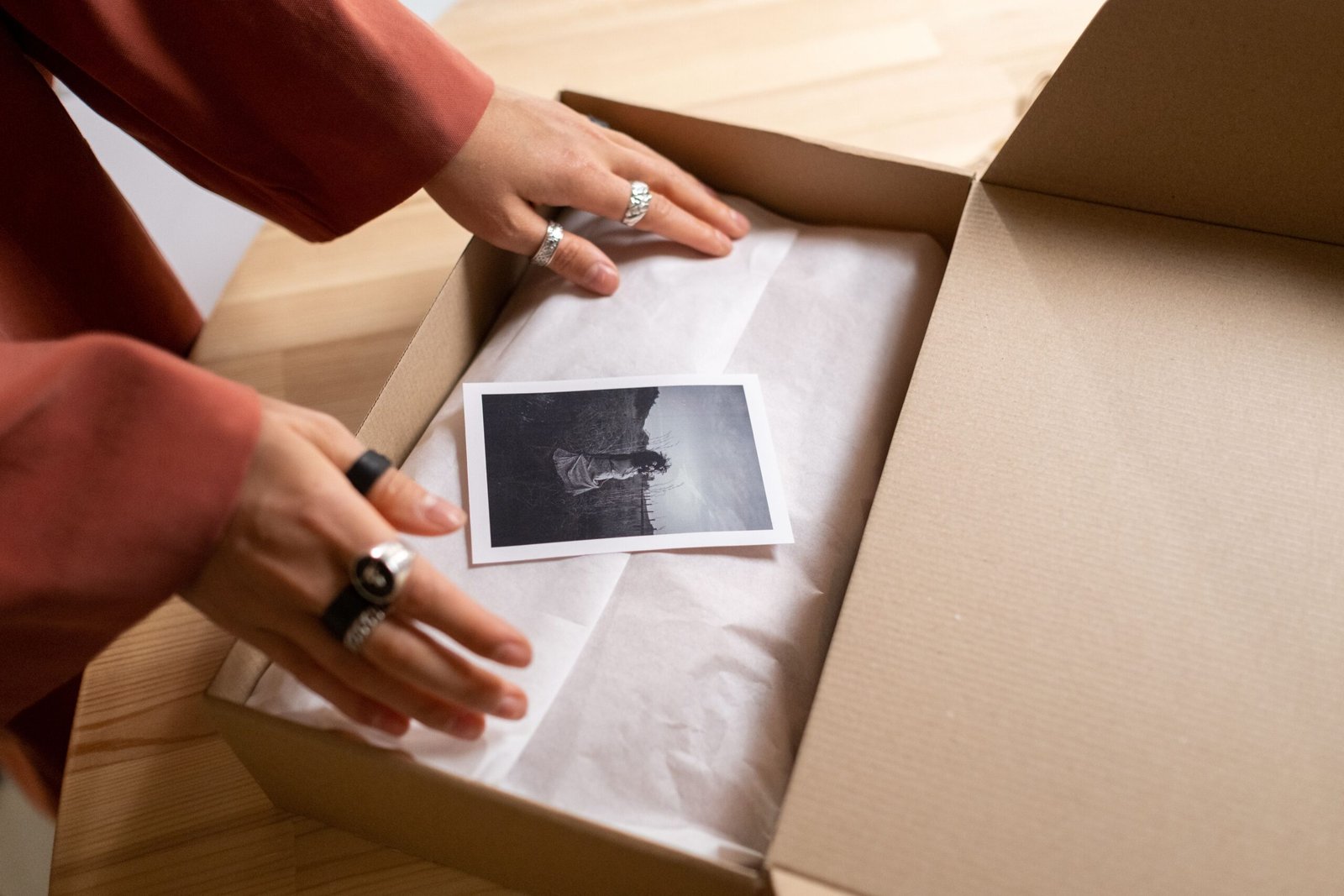
Packaging is much more than a container that protects a product. It is an essential part of branding, marketing, customer experience, and product communication. Before customers try a product, they often judge its quality, usefulness, and value by looking at its packaging. A thoughtfully designed package can attract attention, communicate a brand’s personality, build trust, and encourage potential buyers to explore a product.
In competitive markets, businesses need more than a good product to stand out. They also need a memorable presentation that communicates the right message to the right audience. Whether you are launching a skincare product, selling handmade candles, designing food packaging, creating a premium gift box, or developing packaging for an online store, design decisions can influence how customers perceive your brand.
Understanding how to design packaging helps businesses and designers transform ordinary containers into meaningful brand experiences. Effective packaging combines visual appeal with functionality, product protection, clear information, practical usability, and cost management.
Great packaging does not necessarily require an expensive budget or complicated graphics. Sometimes, a simple color palette, a distinctive logo, readable typography, and a thoughtful structural design can make a product memorable. The key is understanding the product, the audience, the market, and the purpose of the packaging before choosing its visual style.
This comprehensive guide explains how to design packaging from the initial research stage to the final production process. You will learn how to select materials, develop a brand identity, choose colors and fonts, organize product information, create packaging mockups, avoid common mistakes, and build packaging that supports long-term business growth.
Whether you are a beginner, graphic designer, entrepreneur, or established business owner, these practical steps will help you approach packaging design with greater confidence.
1. Understand What Packaging Design Really Means
Before learning how to design packaging, it is important to understand what packaging design involves.
Packaging design is the process of creating the structure, appearance, materials, graphics, and overall presentation of a product’s packaging. It includes the physical container and the visual elements customers see when interacting with the product.
Packaging design generally has three interconnected elements.
Structural Packaging Design
Structural design focuses on the physical shape, dimensions, construction, and usability of the package. It determines how a product fits inside its container and how the package opens, closes, stores, and protects the contents.
Examples include:
-
Folding cartons for cosmetics and retail products.
-
Corrugated boxes for shipping and e-commerce.
-
Glass bottles for beverages and skincare products.
-
Flexible pouches for snacks and dry goods.
-
Rigid boxes for luxury products and gifts.
The structure must suit the product’s weight, size, fragility, storage requirements, and distribution conditions.
Visual Packaging Design
Visual design involves the graphic elements that communicate the brand and attract attention. These include the logo, colors, typography, illustrations, photography, patterns, and layout.
For example, a premium skincare brand may use minimal graphics, refined typography, and restrained colors to communicate sophistication. A children’s snack brand may use brighter colors, playful illustrations, and friendly lettering.
Informational Packaging Design
Packaging also communicates important product information. Depending on the product and market, this may include ingredients, instructions, quantity, warnings, manufacturing details, batch information, barcodes, and regulatory disclosures.
Good packaging balances all three elements. A beautiful design that fails to protect the product is ineffective, while a durable package with confusing graphics may struggle to communicate its value.
The goal is to create packaging that looks appropriate, works reliably, and provides customers with the information they need.
2. Research Your Product and Target Audience
The first practical step in learning how to design packaging is research. Before opening a graphic design application or choosing colors, understand what you are designing for and who will purchase it.
Packaging should reflect the product’s purpose and the expectations of its intended audience.
Identify Your Product’s Requirements
Begin by answering a few essential questions:
-
What is the product?
-
What are its dimensions and weight?
-
Is it fragile, liquid, perishable, or sensitive to light?
-
Will it be sold online, in physical stores, or through both channels?
-
Does it require special storage conditions?
-
How will customers open, use, and dispose of the package?
A glass perfume bottle, for instance, requires different protection and presentation from a lightweight paper notebook. Similarly, frozen food packaging has different material and performance requirements from a luxury gift box.
Understanding these practical considerations helps you make better design decisions from the beginning.
Define Your Target Audience
Next, determine who your ideal customers are. Consider their age range, interests, purchasing habits, priorities, lifestyle, and expectations.
A premium chocolate brand targeting gift buyers might benefit from elegant colors, tactile finishes, and carefully arranged product information. A budget-friendly household brand may prioritize clear labeling, practical packaging, and efficient material use.
Ask yourself what your audience values most:
-
Affordability and convenience.
-
Premium quality and exclusivity.
-
Natural ingredients and sustainability.
-
Modern aesthetics and simplicity.
-
Playfulness and emotional connection.
-
Reliability and product performance.
Your packaging should communicate these qualities without relying on visual decoration alone.
Research Competitors
Study products competing in the same category. Observe their colors, typography, materials, package shapes, and information hierarchy.
Look for common design patterns, but do not simply copy them. Competitor research should help you identify opportunities to differentiate your product.
For example, if every competing product uses dark packaging with metallic lettering, a clean, light-colored design may create a distinctive appearance if it still fits your audience and product category.
The purpose of research is to discover what customers expect, what competitors communicate, and how your packaging can stand apart.
3. Define Your Brand Identity Before Designing
Your packaging should feel like a natural extension of your brand. It should communicate the same personality, values, and visual language that customers encounter on your website, social media profiles, advertisements, and other marketing materials.
When deciding how to design packaging, begin by defining what your brand represents.
Establish Your Brand Personality
Choose three to five characteristics that describe your brand. For example:
-
Modern, bold, and innovative.
-
Natural, calm, and trustworthy.
-
Premium, elegant, and sophisticated.
-
Friendly, colorful, and playful.
-
Practical, affordable, and reliable.
These characteristics can guide your decisions about color, typography, imagery, materials, and finishing techniques.
A luxury fragrance brand might choose a restrained layout, elegant lettering, and a rigid box. An energetic sports nutrition brand may use strong typography, high contrast, and dynamic graphics.
Neither approach is universally better. The right design depends on the brand’s positioning and audience.
also read: How to Design a Business Card: A Complete Guide to Creating a Professional and Memorable Design
Create a Consistent Visual Identity
A recognizable visual identity typically includes a logo, color palette, typography system, graphic elements, and guidelines for using them consistently.
If your business already has brand guidelines, use them as a starting point. If you are creating a new brand, establish these elements before finalizing the packaging.
Your logo should be visible and legible without overwhelming the product name or other essential information. If the package has several panels, determine where the logo should appear and how its placement will remain consistent across different sizes.
Communicate Your Brand Story
Packaging offers an opportunity to explain what makes your product different. A short statement about craftsmanship, product origin, ingredient selection, or the company’s mission can make the brand more memorable.
However, avoid filling every available space with promotional language. A concise, authentic message is often more effective than a long paragraph.
Practical tip: Write one sentence explaining why customers should choose your product. Use that sentence as a reference when making design decisions.
4. Choose the Right Packaging Materials
Material selection is one of the most important parts of the packaging design process. The material affects durability, appearance, printing quality, shipping costs, storage, and environmental performance.
The best material is not necessarily the most expensive or the most visually impressive. It is the one that meets your product’s requirements and supports your brand positioning.

Paperboard and cardboard
Suitable for cosmetics, small electronics, food cartons, stationery, and many retail products. These materials are lightweight, printable, and available in a variety of thicknesses and finishes. Their performance depends on the board grade, construction, coatings, and intended use.

Corrugated cardboard
Commonly used for shipping boxes and protective packaging. Its layered construction can provide cushioning and stacking strength, making it useful for e-commerce and distribution.

Glass
Often used for perfumes, beverages, oils, and skincare products. Glass can create a premium appearance and may offer useful barrier properties, but weight, breakage risk, transport, and product compatibility must be considered.

Flexible packaging
Includes pouches, wraps, sachets, and bags. Flexible packaging can reduce shipping volume and suit products that need specific moisture, oxygen, or light barriers. Recycling options depend on the exact material structure and local facilities.

Metal
Used for tins, cans, specialty containers, and durable gift packaging. Metal can provide strength and protection while supporting a distinctive brand appearance.
Match Materials to Product Requirements
Before selecting a material, evaluate:
-
Protection: Will it withstand pressure, vibration, moisture, temperature changes, and handling?
-
Compatibility: Could the material react with, contaminate, or affect the product?
-
Printing: Can it reproduce your desired colors, text, and imagery?
-
Cost: What will the material, printing, finishing, and assembly cost per unit?
-
Weight: Will it increase shipping expenses?
-
Availability: Can your supplier provide the material consistently?
-
End of life: Can the packaging be reused, recycled, or composted under realistic local conditions?
For food, cosmetics, pharmaceuticals, and other regulated products, check applicable material safety and packaging requirements before committing to a design.
Consider Sustainable Packaging
Sustainability is an important consideration, but it should be approached carefully. A package is not automatically environmentally preferable simply because it is brown, paper-based, or labeled eco-friendly.
Consider reducing unnecessary material, choosing appropriately sized containers, using recycled content where suitable, and designing for reuse or established recycling systems.
A lighter package may reduce transportation impacts, while a durable reusable package may be appropriate for some products. The best choice depends on product protection, manufacturing, transport, reuse rates, and local waste infrastructure.
Avoid unsupported environmental claims. Explain specific, verifiable features rather than making broad statements such as “100% eco-friendly.”
5. Select Colors That Communicate the Right Message
Color influences visual recognition and helps customers navigate product categories. It can also reinforce a brand’s personality and distinguish different products within the same range.
When learning how to design packaging, choose colors strategically rather than selecting them solely because they look attractive.
Understand Color Associations
Common color associations can help guide initial concepts, although their meanings vary by culture, category, and context.
| Color | Common design associations | Potential applications |
|---|---|---|
| Black | Sophistication, strength, luxury | Fragrance, premium accessories |
| White | Simplicity, clarity, cleanliness | Skincare, technology, minimalist products |
| Green | Nature, freshness, growth | Gardening, botanical products |
| Blue | Trust, stability, calm | Technology, household products |
| Red | Energy, urgency, intensity | Snacks, sports products |
| Yellow | Optimism, visibility, warmth | Children’s products, energetic brands |
| Brown | Craftsmanship, earthiness, warmth | Coffee, handmade goods |
| Purple | Creativity, individuality, luxury | Beauty, specialty gifts |
These associations are starting points, not universal rules. Test your colors with the intended audience and in the actual selling environment.
Build a Practical Color Palette
A useful packaging palette often includes:
-
A primary brand color.
-
One or two supporting colors.
-
A background or neutral color.
-
An accent color for emphasis.
For example, a natural skincare brand could use sage green, warm cream, charcoal, and a muted accent. A technology accessory brand might use white, dark navy, and one bright accent color.
Too many competing colors can make the package look cluttered. A controlled palette creates a more coherent visual identity.
Test Color in Real Conditions
Colors displayed on a monitor may differ from printed colors because of material, ink, lighting, and printing processes. A shade that appears bright on screen may look dull on uncoated paper.
Request printed proofs or physical samples before approving large production runs. If exact brand-color consistency matters, establish appropriate print specifications with your supplier.
Also check contrast. Essential text must remain readable against its background, including for customers with color-vision differences.
6. Choose Typography That Makes Packaging Easy to Read
Typography gives packaging personality while helping customers understand what the product is and why it matters.
An attractive font cannot compensate for unreadable text. Effective packaging typography balances brand expression with legibility.
Select Fonts That Match Your Brand
Different type styles communicate different impressions.
-
Serif fonts: Often used for editorial, traditional, or refined identities.
-
Sans-serif fonts: Common in modern, clean, and straightforward designs.
-
Display fonts: Useful for distinctive headlines and product names.
-
Script fonts: Can communicate a handmade or expressive character, but may be difficult to read at small sizes.
Use fonts that support the product’s positioning. A luxury chocolate brand might use a refined serif headline with a simple sans-serif information font. A contemporary fitness product could use bold sans-serif typography.
Establish a Clear Hierarchy
Customers should be able to identify the most important information quickly.
A typical hierarchy might be:
-
Brand name or logo.
-
Product name.
-
Main benefit or distinguishing feature.
-
Variant, flavor, size, or model.
-
Supporting product details.
-
Required legal or regulatory information.
The exact order depends on the category and applicable labeling requirements.
Use font size, weight, spacing, and placement to show which information matters most. Do not make every line bold or large, because doing so removes the distinction between primary and secondary information.
Avoid Typography Mistakes
Common problems include using too many typefaces, shrinking important text to fit a panel, placing text over busy illustrations, and using decorative fonts for long instructions.
Check the design at its actual printed size. A label that looks readable when enlarged on a computer may be difficult to read on a small bottle.
For multilingual markets, allow enough space for translated text. Words can expand significantly in translation, so a layout that fits one language may not accommodate another.
7. Create a Strong Packaging Layout
A packaging layout determines where the logo, product name, imagery, instructions, and other information appear.
A strong layout helps customers understand the product without making the package feel crowded. It should also work across all relevant panels and remain effective when the package is displayed from different angles.
Identify the Main Viewing Panel
Start by determining which surface customers are most likely to see first. This may be the front of a box, the main label of a bottle, or the visible face of a pouch.
Prioritize the most important information on that panel. The product should be recognizable without requiring customers to rotate the package or read lengthy descriptions.
Apply Visual Hierarchy
Use differences in scale, weight, contrast, and spacing to direct attention.
For example, a tea package might display the brand name at the top, the tea variety in the center, and a supporting illustration below. Net quantity and required information can appear in appropriate positions according to applicable regulations.
Avoid placing too many elements at the same visual intensity.
Use Negative Space
Negative space is the unoccupied area around design elements. It allows text and imagery to breathe and can make a package feel organized and sophisticated.
Do not assume every empty area must be filled. If the logo, product name, and illustration already communicate the message, extra decorative elements may reduce clarity.
Design Every Panel
Packaging often has several surfaces, each with a different purpose.
-
Front: Brand, product identity, and key differentiator.
-
Back: Description, instructions, ingredients, or other required information.
-
Sides: Supporting details, brand story, directions, or product variants.
-
Top or bottom: Closure information, batch details, barcodes, or other relevant content.
This is a general framework, not a universal labeling rule. Required information placement varies by product and jurisdiction.
Before finalizing the layout, review the package as a complete three-dimensional object rather than a collection of separate flat graphics.
8. Develop a Unique and Memorable Packaging Concept
A distinctive concept gives your packaging a recognizable visual direction. It connects the product’s purpose, the brand’s personality, and the customer’s expectations into one coherent design.
Instead of immediately creating a finished package, explore several possible concepts.
Start With a Creative Brief
A creative brief explains what the packaging needs to achieve. Include the following information:
-
Product name and category.
-
Target audience.
-
Brand personality.
-
Main selling proposition.
-
Packaging dimensions and material preferences.
-
Competitor references.
-
Budget and production limitations.
-
Mandatory product information.
-
Environmental and distribution requirements.
A clear brief reduces unnecessary revisions and helps everyone involved evaluate concepts against the same goals.
Explore Different Design Directions
Develop two or three distinct concepts before committing to one.
For example, a handmade soap brand could explore:
Concept A: Natural and minimal. Kraft paper, restrained typography, botanical illustrations, and muted colors.
Concept B: Modern and colorful. Geometric shapes, vibrant colors, bold product names, and a contemporary layout.
Concept C: Premium and giftable. A rigid presentation box, refined lettering, subtle texture, and a coordinated interior.
These concepts should represent genuinely different approaches, not minor variations of the same design.
Use Mood Boards
A mood board collects visual references that establish the intended design direction. It may include color palettes, materials, typography, illustrations, photography, and examples of structural packaging.
Mood boards are especially helpful when working with clients, manufacturers, marketing teams, or business partners. They make abstract ideas easier to discuss before detailed design work begins.
Use references for inspiration, but create original graphics and layouts. Copying a competitor’s distinctive packaging can weaken your identity and create intellectual property concerns.
9. Create a Practical Packaging Mockup
A mockup allows you to visualize how the design will look on the actual package before manufacturing begins.
It can reveal problems that are difficult to identify when looking at a flat design file, such as awkward panel transitions, poorly positioned logos, or information that disappears around a curved surface.


Start With the Correct Dimensions
Obtain the product dimensions and confirm the required internal and external packaging measurements. Consider the thickness of the material, closures, inserts, cushioning, and assembly method.
Do not assume that a box’s internal dimensions and external dimensions are interchangeable.
If the packaging is manufactured using a custom die, ask your supplier for the correct dieline. A dieline is a technical template showing the cutting, folding, and sometimes gluing areas of the package.
Understand Dielines
A typical folding-carton dieline may include:
-
Cut lines.
-
Fold or crease lines.
-
Glue areas.
-
Bleed boundaries.
-
Safe zones.
-
Panel dimensions.
Use the manufacturer’s specifications rather than guessing these measurements. Different materials and production processes require different tolerances.
Keep important text and logos away from folds, cuts, and glue areas. Extend background artwork into the specified bleed area to reduce the chance of unwanted white edges after trimming.
Build a Digital Mockup
Designers can create mockups using graphic design applications, 3D packaging tools, or presentation templates.
A digital mockup helps you evaluate:
-
Front and side panel balance.
-
Logo placement.
-
Color consistency.
-
Visual hierarchy.
-
How multiple product variants work together.
-
How the packaging may appear in marketing photographs.
However, a digital mockup cannot fully demonstrate material strength, print texture, actual color reproduction, or assembly performance.
Produce a Physical Prototype
When possible, create a physical sample before approving mass production.
Check whether the product fits properly, whether the package closes securely, and whether the printed information is readable. Open and close the package repeatedly, examine the folds, and test how it feels in the customer’s hands.
For products shipped through e-commerce, evaluate protective inserts and conduct suitable packaging tests based on the expected distribution conditions.
A successful mockup should be visually convincing and physically practical.
10. Design Packaging That Works for E-Commerce and Retail
Packaging must perform differently depending on where and how a product is sold.
Retail packaging often competes for attention on shelves, while e-commerce packaging must survive transportation and provide a satisfying delivery experience.
Packaging for Physical Retail
In a store, customers may compare several products within seconds. Strong visual recognition, clear product identification, and an appropriate brand presentation are essential.
Consider how the packaging looks:
-
From a normal viewing distance.
-
Beside competing products.
-
Under store lighting.
-
When arranged in multiple rows.
-
When stacked or displayed on a shelf.
A design that looks attractive by itself may become visually indistinct when surrounded by similar products.
Test the packaging alongside competitor products or realistic shelf photographs to evaluate its visibility.
Packaging for E-Commerce
Online products may travel through warehouses, sorting facilities, delivery vehicles, and multiple handling stages.
The packaging should protect the product against the risks associated with its journey. Fragile products may need cushioning, while products sensitive to moisture or temperature may require additional protection.
At the same time, avoid unnecessarily oversized shipping boxes. Excessive packaging can increase material use and shipping volume.
A good e-commerce package balances protection, weight, size, ease of opening, and waste reduction.
Create a Memorable Unboxing Experience
The unboxing experience is the sequence of interactions customers have when opening and discovering a delivered product.
You can improve it through:
-
Easy-to-open closures.
-
Neatly organized product placement.
-
Protective inserts that fit correctly.
-
A simple thank-you card.
-
Clear instructions or care information.
-
Thoughtful presentation of accessories.
Premium unboxing does not require layers of decorative material. A clean, organized package can feel professional while remaining efficient.
The most important priority is that the product arrives safely and is easy to access.
11. Make Packaging Functional and User-Friendly
Visual appeal attracts attention, but functionality influences whether customers enjoy using the product.
Packaging should be designed around real user behavior. Consider how customers hold it, open it, store it, carry it, and dispose of it.
Prioritize Ease of Opening
Packages that require excessive force or complicated instructions can frustrate customers.
Depending on the product, useful features may include tear strips, resealable closures, easy-open tabs, accessible lids, and clearly marked opening points.
Avoid features that create safety risks or compromise product protection.
Consider Storage and Reuse
Packaging may need to fit inside kitchen cupboards, bathroom cabinets, retail shelves, refrigerators, or shipping cartons.
If customers are likely to keep the container, consider whether it can be cleaned, stored, and reused safely. Reuse claims should reflect actual material durability and intended use.
Think About Accessibility
Good packaging design considers people with different visual, physical, and cognitive abilities.
Use readable text, sufficient contrast, clear instructions, and intuitive opening mechanisms. Avoid relying exclusively on color to communicate important distinctions.
For products used by older adults or people with limited hand strength, opening force and grip can be particularly important.
Test the design with representative users whenever possible. Their feedback can reveal usability problems that a design team might overlook.
12. Understand Printing and Finishing Techniques
Printing and finishing can transform a simple packaging design into a distinctive physical product. However, each technique affects cost, appearance, production time, and material suitability.
Choose finishing methods that support the concept rather than adding decorative effects without a clear purpose.

Matte finish
Produces a subdued surface that can suit modern, minimalist, or premium packaging. Scuff resistance varies by material and coating.

Gloss finish
Creates a reflective appearance that can make some colors look more vivid. Reflections may reduce readability under certain lighting conditions.

Foil stamping
Applies a metallic or specialty foil effect to selected areas. It can highlight logos and small decorative details, but typically adds production cost.

Embossing and debossing
Create raised or recessed details in the material. They add tactile interest and can emphasize a logo without depending on additional colors.

Spot UV
Applies a glossy coating to selected areas of a printed surface. It can create contrast between a shiny logo and a matte background.
Choose a Suitable Printing Method
Common printing methods include digital printing, offset lithography, flexography, and screen printing.
The appropriate method depends on the substrate, order quantity, artwork complexity, color requirements, and supplier capabilities.
Digital printing may suit prototypes, short runs, or frequent design changes. Offset printing can be suitable for larger runs of cartons and other printed materials. Flexography is widely used for many packaging formats, including labels and flexible substrates.
Discuss your requirements with a packaging printer before finalizing the artwork. Ask about minimum quantities, color matching, finishing options, setup charges, and proofing procedures.
Balance Appearance With Cost
Premium finishes can be attractive, but they are not always necessary.
A strong design can use one excellent material, a clear layout, and well-executed printing instead of several costly finishing techniques.
Request quotes for multiple options and compare the complete production cost rather than the unit price of the material alone.
13. Include Essential Product Information and Legal Details
One of the most important steps in learning how to design packaging is understanding which information must appear on the package.
Packaging is both a marketing tool and a communication surface. Customers need accurate information to identify, evaluate, store, and use the product safely.
Depending on the product category and country of sale, packaging may require:
-
Product name and description.
-
Net quantity or weight.
-
Ingredients or material composition.
-
Instructions for use and storage.
-
Safety warnings and precautions.
-
Manufacturer, importer, or responsible business details.
-
Batch or lot number.
-
Manufacturing or expiry information, where applicable.
-
Barcode or other product identification.
-
Required certifications or regulatory declarations.
Not every product needs every item. Requirements vary by jurisdiction and product category.
For products sold in India, for example, relevant requirements may arise under Legal Metrology rules, food safety regulations, cosmetics rules, or other applicable legislation. Check the current requirements for the specific product rather than relying on a generic packaging checklist.
Make Important Information Easy to Find
Arrange supporting information logically and use appropriate type sizes and contrast. Do not hide required details in decorative artwork or place them where folds, labels, or closures may obscure them.
Barcodes should be generated and verified according to the applicable specifications. Keep the designated barcode area free from distracting graphics and ensure sufficient contrast for scanning.
For QR codes, test the printed version with different devices. A QR code should lead to a useful, maintained destination and should not replace mandatory information unless the applicable rules explicitly permit it.
Important: Have the final artwork reviewed for applicable legal and labeling requirements before sending it to production. A visually excellent package can still create costly problems if required information is missing or inaccurate.
14. Use Design Software and Tools Effectively
You do not need every design application available to create good packaging. Select tools based on your skills, budget, and project requirements.

Adobe Illustrator
Useful for vector artwork, logos, dielines, typography, and print-ready packaging files. Vector graphics can be resized without losing their sharpness.

Adobe Photoshop
Useful for image editing, product photography, realistic presentation mockups, and preparing visual concepts for client reviews.

Canva
A convenient starting point for simple labels, promotional graphics, and early packaging concepts, especially for beginners.

Blender
Useful for creating three-dimensional product visualizations, lighting setups, and presentation renders. Physical production still requires accurate technical specifications.
Follow a Reliable File Workflow
For a professional packaging project:
-
Obtain the approved dieline from the manufacturer.
-
Set up the document at the correct dimensions.
-
Create separate layers for artwork, technical lines, and reference elements.
-
Keep text and logos within safe areas.
-
Use high-resolution images where required.
-
Follow the printer’s color and bleed specifications.
-
Check fonts, links, image resolution, and overprint settings.
-
Export the requested production format, commonly a print-ready PDF.
-
Review the exported file and obtain a proof before production.
Never assume that a file is production-ready simply because it looks correct on screen. Confirm the specifications with the printer, particularly for unusual materials, special finishes, and complex folds.
15. Test Your Packaging Before Mass Production
Testing is the stage where design decisions meet real-world conditions. It helps you identify issues before they affect an entire production batch.
Even a carefully prepared design can fail when produced at scale because of material differences, assembly problems, printing variations, or incorrect dimensions.
Conduct a Visual Review
Inspect the sample under normal lighting and from different viewing distances.
Check the logo, product name, typography, color reproduction, panel alignment, and overall presentation. Look for unexpected trimming, distorted graphics, or text that becomes difficult to read.
Test Fit and Protection
Place the actual product inside the package. Check for excessive movement, tight closures, awkward insertion, and insufficient cushioning.
For products that may break, leak, deform, or deteriorate, conduct suitable tests based on the product’s risks and expected shipping conditions.
A simple drop test may be useful during early development, but it does not replace an appropriate distribution-testing protocol when one is needed.
Test Usability
Ask people representative of your intended customers to open and use the packaging.
Observe whether they can locate important information, understand the instructions, and access the product comfortably.
Avoid explaining how the package is supposed to work before the test. Unprompted behavior often reveals problems that disappear when the designer is guiding the user.
Check Production Consistency
Review samples from the supplier and confirm that colors, dimensions, finishes, and assembly quality match the approved specifications.
Document the approved sample and production requirements so that later orders can be compared against the same standard.
16. Common Packaging Design Mistakes to Avoid
Understanding common mistakes can help you save time, control costs, and create a more effective package.
Mistake 1: Prioritizing Appearance Over Function
An attractive package is not successful if it leaks, breaks, opens poorly, or fails to protect the product.
Solution: Establish functional requirements before finalizing the visual design. Evaluate appearance and performance together.
Mistake 2: Using Too Many Design Elements
Too many colors, typefaces, illustrations, patterns, and promotional messages can overwhelm customers.
Solution: Identify the primary message and remove decorative elements that do not support it.
Mistake 3: Ignoring the Target Audience
A design that appeals to the business owner may not appeal to the people who will purchase the product.
Solution: Test different concepts with representative customers and evaluate their responses.
Mistake 4: Copying Competitors
Imitating another brand can make your product difficult to distinguish and may create intellectual property issues.
Solution: Study competitors to understand category expectations, then develop a distinctive visual concept based on your own brand identity.
Mistake 5: Choosing Materials Without Testing
A material may look good in a sample but perform poorly during transportation, storage, or use.
Solution: Test material strength, compatibility, printing, and durability before committing to a large order.
Mistake 6: Making Text Too Small
Trying to fit too much information into limited space can make the package difficult to read.
Solution: Prioritize the information, simplify nonessential copy, and use appropriate dimensions and type sizes. Never reduce mandatory text below applicable requirements.
Mistake 7: Forgetting Production Costs
Custom shapes, specialty materials, complex inserts, and premium finishes can substantially increase costs.
Solution: Ask suppliers for estimates early and compare alternatives before approving the design.
Mistake 8: Making Unsupported Sustainability Claims
Calling packaging completely sustainable or environmentally friendly without evidence can mislead customers.
Solution: Use specific, verifiable statements about materials, recycled content, reuse, or recycling compatibility.
Mistake 9: Skipping Physical Proofs
A digital mockup cannot reliably predict every printing, folding, assembly, and usability issue.
Solution: Review a physical prototype and approve a production proof before placing a large order.
17. How to Design Packaging on a Budget
Small businesses and startups often need attractive packaging without the cost of custom tooling or large minimum orders.
The good news is that thoughtful design can improve packaging without requiring expensive materials or complicated production techniques.
Start With Standard Packaging Sizes
Standard boxes, bottles, pouches, and containers are often more economical than fully custom structures.
You can differentiate standard packaging through labels, color, typography, illustrations, or a custom printed sleeve.
Before choosing a standard format, confirm that it protects the product and suits its intended use.
Keep the Design Simple
A focused design may need only a logo, a strong product name, a distinctive color palette, and well-organized information.
Reducing unnecessary print colors and specialty finishes may lower production costs, depending on the supplier and process.
Simplicity should improve clarity, not make the product appear unfinished.
Compare Supplier Quotes
Request itemized estimates for different quantities and production options. Compare material specifications, printing methods, finishing, assembly, shipping, and setup fees.
Larger orders can reduce unit costs but increase upfront investment and storage requirements. Calculate the total financial commitment rather than focusing exclusively on the price per package.
Design for Multiple Product Variants
If your brand sells several related products, develop a common packaging system.
Keep the logo, layout, and core colors consistent while changing a limited number of elements, such as product names, accent colors, or illustrations.
This approach can improve brand recognition and simplify production, provided each product’s specific labeling requirements are still met.
18. How to Measure the Success of Your Packaging Design
Packaging design should be evaluated by more than personal preference. A successful package should support business goals and perform effectively throughout the customer’s experience.
Consider tracking the following indicators.
Product recognition: Can customers identify your brand and product quickly?
Purchase conversion: Does the packaging contribute to better sales performance when other relevant factors are considered?
Customer feedback: Do customers find the package attractive, understandable, and easy to use?
Damage rates: Are products arriving safely, or is packaging failure creating returns and replacements?
Packaging cost: Does the package fit the product’s profit margins and operational requirements?
Waste and material use: Can you reduce unnecessary packaging without compromising protection?
Repeat purchases: Does the overall product experience support customer satisfaction and loyalty?
Use A/B Testing Where Practical
If you have sufficient traffic or access to a representative audience, compare two packaging concepts.
You might test different front-panel layouts, product names, color combinations, or information hierarchies.
For a retail product, customer surveys or controlled shelf tests may help. For an online business, product-page experiments can assess how packaging imagery affects customer interest, although they do not directly measure the physical package’s performance.
Use comparable conditions and evaluate the results against a predefined goal. Avoid drawing strong conclusions from very small or unrepresentative samples.
19. A Step-by-Step Packaging Design Checklist
Use this checklist to organize your next packaging project from research to launch.
Packaging project checklist
0/15
Research and planning
Concept and design
Production preparation
Testing and launch
Copy checklist
This checklist can be adapted to different packaging categories. Products with specialized protection, complex supply chains, or strict regulatory requirements may need additional reviews and tests.
20. Future Trends in Packaging Design
Packaging continues to evolve as customer expectations, production technologies, retail experiences, and environmental priorities change.
Several developments are particularly relevant to modern packaging projects.
Minimalist Packaging
Minimalist design focuses on clarity, purposeful typography, restrained color, and reduced visual clutter.
This approach can make product information easier to understand and establish a recognizable brand identity. However, minimalism should not come at the expense of legibility or required disclosures.
Smart Packaging
QR codes, digital product information, and connected packaging can link physical products to additional online content.
Brands may use these tools to provide instructions, product stories, authenticity information, or updated resources. Their value depends on whether the content is useful and maintained.
Digital features should complement the package rather than make essential information inaccessible.
Sustainable Material Choices
Businesses are increasingly evaluating material efficiency, recycled content, reuse, and compatibility with available waste systems.
The most useful approach is to assess the entire packaging system, including product protection, material sourcing, transport, and end-of-life options.
A design that uses less material but causes more products to be damaged may not deliver the intended environmental benefits.
Personalized Packaging
Digital production techniques can support short runs, regional variants, seasonal designs, and limited editions.
Personalization can help brands create special customer experiences, but the additional artwork, inventory, and production complexity should be justified by the intended benefit.
Better Unboxing Experiences
Packaging is increasingly visible in product photography, customer reviews, and social media content.
A package that opens cleanly, presents the product clearly, and protects its contents can improve the overall experience. The strongest approach combines presentation with practical performance instead of relying on decorative extras alone.
Conclusion: Create Packaging That Builds Your Brand
Learning how to design packaging requires more than choosing attractive colors or creating a visually impressive box. Effective packaging combines product protection, structural design, brand identity, typography, materials, functionality, and clear communication.
Start by understanding the product and its audience. Research the market, establish your brand identity, choose appropriate materials, and develop a layout that makes important information easy to find. Then create mockups, test prototypes, review production costs, and verify applicable labeling requirements before manufacturing.
Remember that successful packaging is not necessarily the most complicated or expensive. A simple, well-planned design can outperform a visually crowded package when it communicates the product’s value clearly and serves customers effectively.
Whether you are creating packaging for food, cosmetics, electronics, clothing, gifts, or handmade products, focus on consistency, usability, protection, and differentiation.
The best packaging design makes the product recognizable, protects what is inside, communicates why it matters, and creates a positive experience from the first impression to the final use.
By following the steps in this guide, you can build a practical packaging design process that supports your brand, improves customer experience, and creates a strong foundation for future product launches.
Frequently Asked Questions (FAQs)
1. How do you design packaging for a product?
Start by researching the product, target audience, competitors, and brand identity. Choose suitable materials and a structural format, develop the visual layout, include required information, and create a mockup. Test a physical prototype before approving mass production.
2. Which software is best for packaging design?
Adobe Illustrator is widely used for vector artwork, dielines, and print-ready layouts. Photoshop is useful for image editing and mockups, while Canva can help beginners create simple packaging concepts. Three-dimensional software can assist with realistic product visualization.
3. What are the main elements of packaging design?
The main elements include structural design, materials, brand identity, color, typography, imagery, information hierarchy, usability, and product protection. Regulatory requirements and manufacturing specifications must also be considered.
4. How much does packaging design cost?
The cost depends on design complexity, packaging structure, materials, order quantity, printing methods, finishes, and supplier charges. Standard packaging with custom labels may cost less than a fully custom box with specialized finishes. Obtain quotations based on your specific requirements.
5. How can I make packaging look premium?
Use a consistent brand identity, carefully chosen typography, balanced spacing, high-quality printing, and appropriate materials. Select finishes such as foil stamping or embossing only when they support the design. Premium presentation comes from thoughtful execution rather than decoration alone.
6. What makes packaging design successful?
Successful packaging protects the product, attracts the intended audience, communicates essential information clearly, supports brand recognition, and works within production and distribution requirements. Customer feedback and performance testing can help establish whether the design achieves its goals.
7. How can I design sustainable packaging?
Start by reducing unnecessary material and selecting packaging that protects the product efficiently. Consider recycled content, reusable formats, and materials compatible with local collection and recycling systems. Verify environmental claims and evaluate the full packaging system before choosing an option.
8. What is a packaging dieline?
A packaging dieline is a technical template showing the dimensions, cut lines, fold lines, and other structural details needed to produce a package. It helps designers position artwork correctly and prepare files that manufacturers can use.
9. Why is packaging important for branding?
Packaging creates a physical expression of a brand’s identity. It helps customers recognize products, understand their positioning, compare alternatives, and form impressions about quality. Consistent packaging across a product range can strengthen brand recognition.
10. What is the first step in packaging design?
The first step is research and planning. Understand the product’s physical requirements, identify the intended customers, study competitors, and define the brand’s goals. This information guides the material, structural, and visual decisions that follow.